
Chargebee Model Context Protocol (MCP) Server


Model Context Protocol (MCP) is a standardized protocol designed to manage context between large language models (LLMs) and external systems.
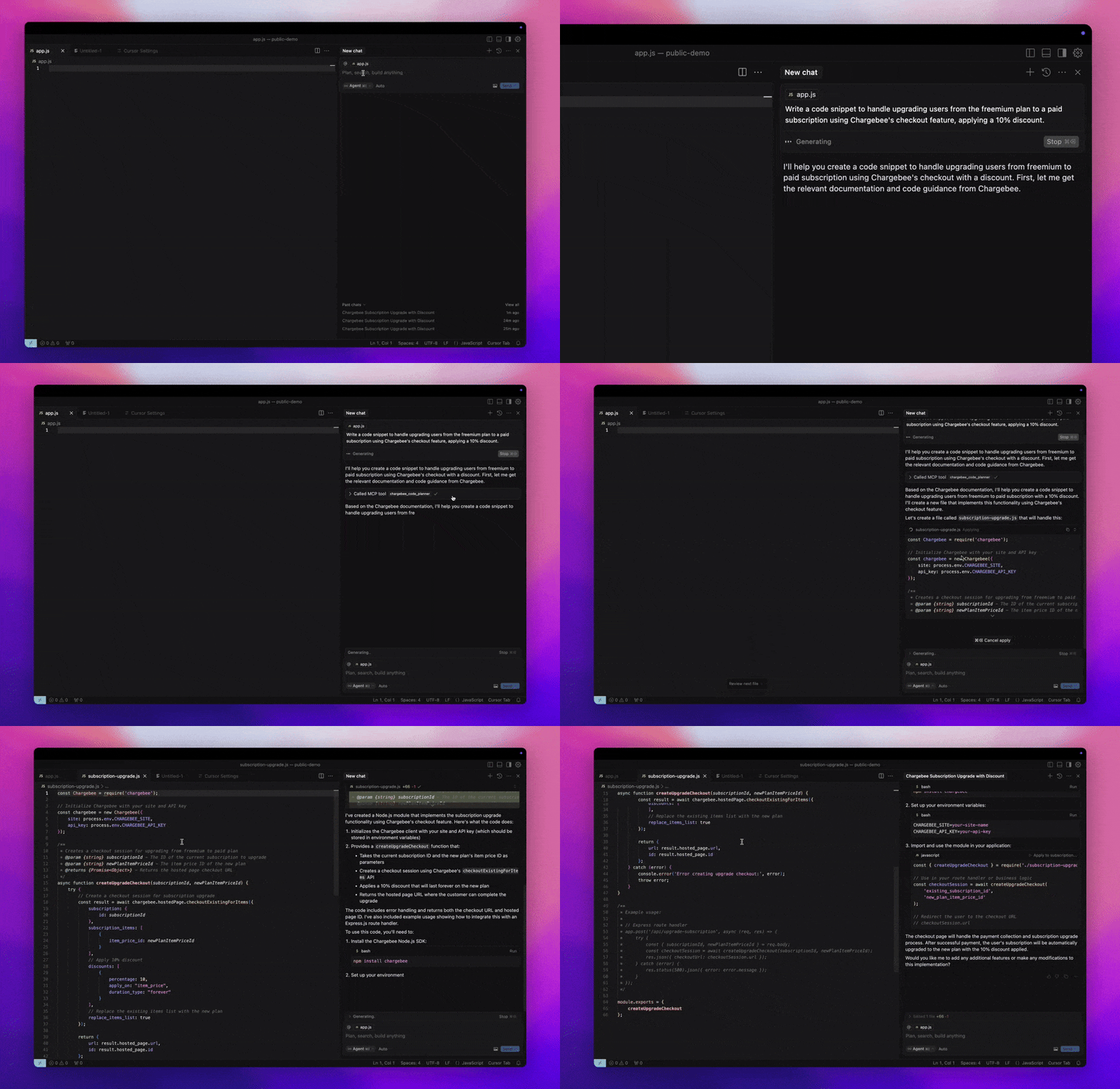
The Chargebee MCP Server offers a robust set of tools to improve developer efficiency. It integrates with AI-powered code editors like Cursor, Windsurf, and Cline, as well as general-purpose tools such as Claude Desktop. It is compatible with any MCP Client.
With this MCP Server, you can:
Get immediate answers about the Chargebee products and API services.
Receive context-aware code snippets tailored to your integration needs.
Access Chargebee's knowledge base, including:
- Documentation
- FAQs
- Release notes
- And much more
Prerequisites
- Node.js LTS - The Chargebee MCP server requires the Node.js LTS version to function correctly.
Setup
To run the Chargebee MCP server using Node.js npx, execute the following command:
npx -y @chargebee/mcp@latest
Available Tools
| Tool | Description |
|---|---|
chargebee_documentation_search | Search Chargebee's documentation to retrieve detailed information and usage guides. |
chargebee_code_planner | Generate structured code outlines and sample code for integrating Chargebee's APIs and features. |
Installation
Cursor
To add this server to Cursor IDE:
- Navigate to
Cursor Settings>MCP. - Click
+ Add new Global MCP Server. - Add the following configuration to your global
.cursor/mcp.jsonfile:
{
  "mcpServers": {
    "chargebee": {
      "command": "npx",
      "args": [
          "-y",
          "@chargebee/mcp"
      ]
    }
  }
}
Refer to the Cursor documentation for additional details. Note: You can also add this to your project-specific Cursor configuration (supported in Cursor 0.46+).
Windsurf
To set up MCP with Cascade:
- Open Windsurf and navigate to
Settings>Advanced Settingsor use the Command Palette >Open Windsurf Settings Page. - Scroll to the Cascade section to add a new server, view existing servers, or access the raw JSON config file at
mcp_config.json. - Click “Add custom server +” to include the Chargebee MCP server directly in
mcp_config.json:
{
  "mcpServers": {
    "chargebee": {
      "command": "npx",
      "args": [
          "-y",
          "@chargebee/mcp"
      ]
    }
  }
}
Refer to the Windsurf documentation for more information.
VS Code
Install the Chargebee MCP server in VS Code using one of these buttons:
Alternatively, you can install the Chargebee MCP server using the VS Code CLI:
# For VS Code
code --add-mcp '{"name":"chargebee","command":"npx","args":["-y","@chargebee/mcp"]}'
# For VS Code Insiders
code-insiders --add-mcp '{"name":"chargebee","command":"npx","args":["-y","@chargebee/mcp"]}'
After installation, the Chargebee MCP server will be available for use with your GitHub Copilot agent in VS Code.
Claude
Add the following configuration to your claude_desktop_config.json file. Refer to the Claude Desktop documentation for more details:
{
  "mcpServers": {
    "chargebee": {
      "command": "npx",
      "args": [
          "-y",
          "@chargebee/mcp"
      ]
    }
  }
}
Cline
Manually add the following JSON to your cline_mcp_settings.json file via the Cline MCP Server settings:
{
  "mcpServers": {
    "chargebee": {
      "command": "npx",
      "args": [
          "-y",
          "@chargebee/mcp"
      ]
    }
  }
}
Roo Code
Access the MCP settings by selecting Edit MCP Settings in Roo Code settings or using the Roo Code: Open MCP Config command in the VS Code command palette:
{
  "mcpServers": {
    "chargebee": {
      "command": "npx",
      "args": [
          "-y",
          "@chargebee/mcp"
      ]
    }
  }
}
Contribution
To contribute to this project, refer to the contribution guide.