
BundlerMCP
A Model Context Protocol (MCP) server enabling AI agents to query information about dependencies in a Ruby project's Gemfile. Built with fast-mcp.


Installation
Install the gem and add to the application's Gemfile by executing:
bundle add bundler_mcp --group=development
Usage
- Generate the binstub:
bundle binstubs bundler_mcp
- Configure your client to execute the binstub. Here are examples that work for Claude and Cursor:
Basic Example (mcp.json)
{
  "mcpServers": {
    "bundler-mcp": {
      "command": "/Users/mike/my_project/bin/bundler_mcp"
    }
  }
}
Example with logging and explicit Gemfile
{
  "mcpServers": {
    "bundler-mcp": {
      "command": "/Users/mike/my_project/bin/bundler_mcp",

      "env": {
        "BUNDLER_MCP_LOG_FILE": "/Users/mike/my_project/log/mcp.log",
        "BUNDLE_GEMFILE": "/Users/mike/my_project/subdir/Gemfile"
      }
    }
  }
}
Documentation
Available Tools
The server provides two tools for AI agents:
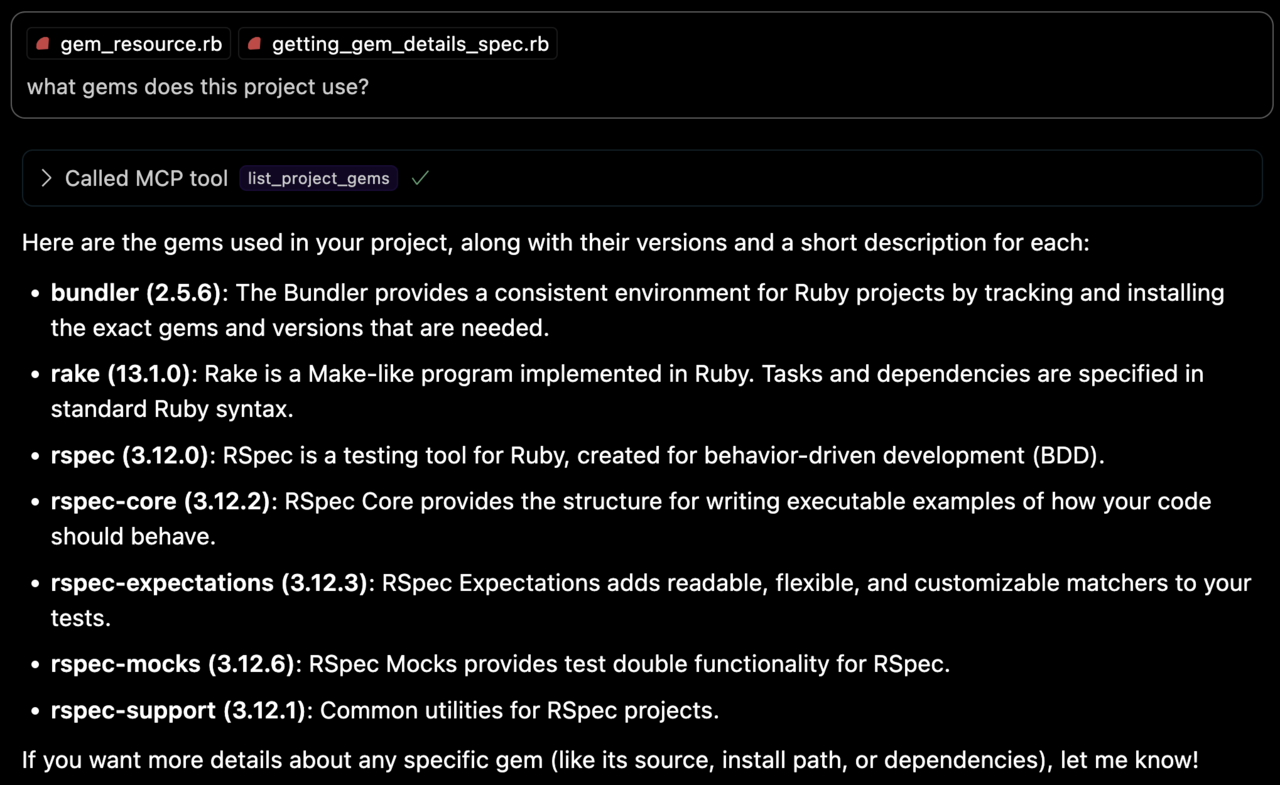
list_project_gems
Lists all bundled Ruby gems with their:
- Versions
- Descriptions
- Installation paths
- Top-level documentation locations (e.g.
READMEandCHANGELOG)
get_gem_details
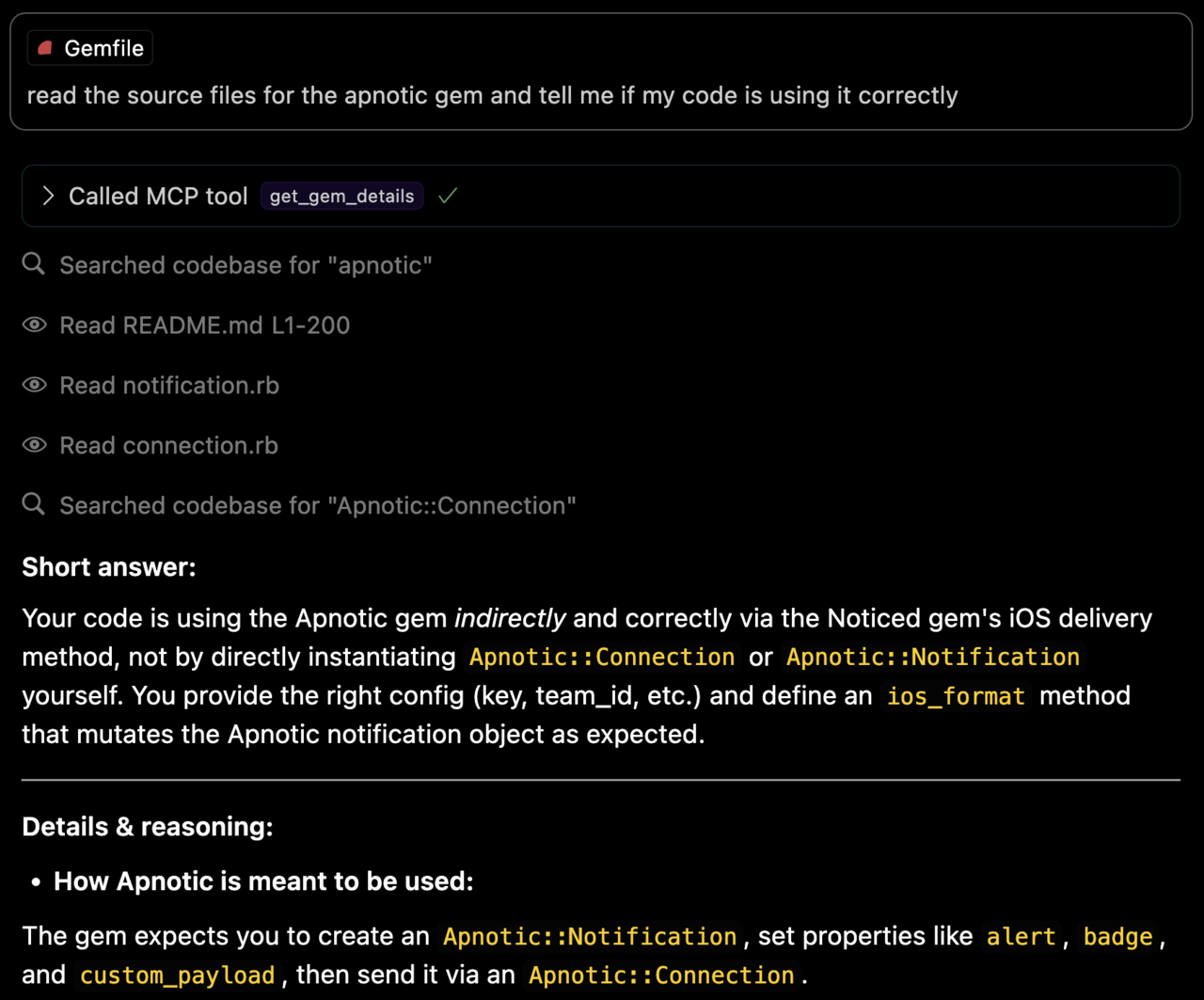
Retrieves detailed information about a specific gem, including:
- Version
- Description
- Installation path
- Top-level documentation locations
- Source code file locations
Environment Variables
BUNDLE_GEMFILE: Used by Bundler to locate your Gemfile. If you use the binstub method described in the Usage section, this is usually not needed.BUNDLER_MCP_LOG_FILE: Path to log file. Useful for troubleshooting (defaults to no logging)
Development
After checking out the repo, run bin/setup to install dependencies and bundle exec rspec to run the tests. You can also run bin/console for an interactive prompt that will allow you to experiment.
Testing with the MCP Inspector
You can test the server directly using the MCP inspector:
# Basic usage
npx @modelcontextprotocol/inspector ./bin/bundler_mcp

# With logging enabled
BUNDLER_MCP_LOG_FILE=/tmp/log/mcp.log npx @modelcontextprotocol/inspector ./bin/bundler_mcp

# With custom Gemfile
BUNDLE_GEMFILE=./other/Gemfile npx @modelcontextprotocol/inspector ./bin/bundler_mcp
Release Process
To install this gem onto your local machine, run bundle exec rake install. To release a new version:
- Update the version number in
version.rb - Run
bundle exec rake release
This will:
- Create a git tag for the version
- Push git commits and the created tag
- Push the
.gemfile to rubygems.org
Contributing
Bug reports and pull requests are welcome on GitHub at https://github.com/subelsky/bundler_mcp.
License
Open source under the terms of the MIT License.